Dynamic Gridline
Dynamic Gridline is a powerful React component library that creates interactive, zoomable, and pannable grid canvases for positioning content. It provides a Grid container with smooth animations and a GridItem component for absolute positioning within grid coordinates. Features include mouse/touch panning, mouse wheel zooming, keyboard navigation, customizable grid appearance, click event handlers, and selective interaction controls. Perfect for creating interactive dashboards, design tools, data visualizations, or any application requiring precise spatial content placement with intuitive navigation controls.
The Problem
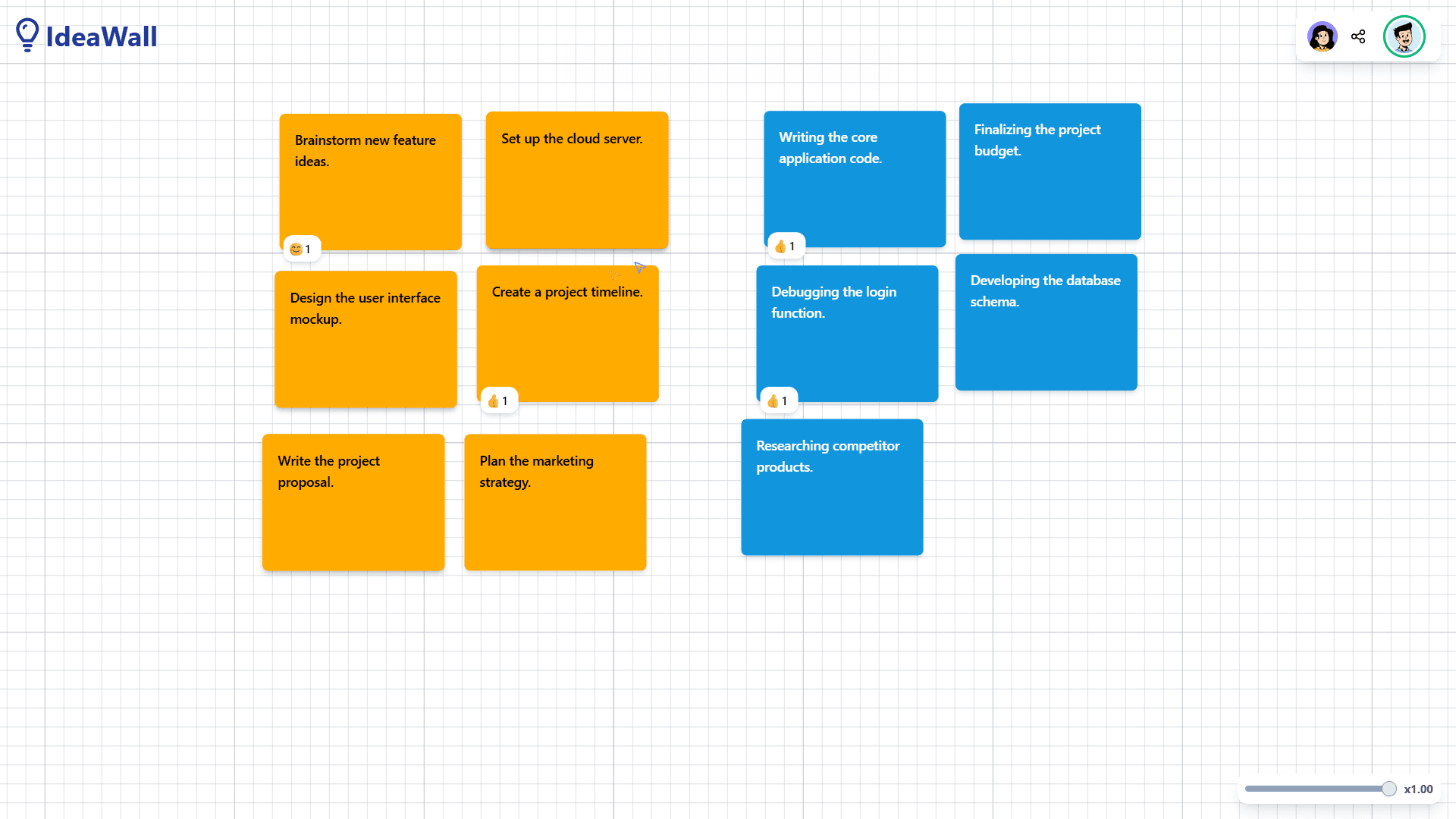
While working on IdeaWall, I needed to add a whiteboard as the background for the app. Specifically, I wanted a grid system similar to those found in design applications like Figma or Sketch.
I spent some time searching through existing packages and solutions, but nothing quite fit my specific use case. The available options were either too basic, overly complex, or didn't provide the features I was after (positioning, zooming, panning, etc.).
That's when I decided: I'll just build it myself.
Challenges and Solutions
Challenge 1: Performance
My initial approach was to position the grid items with CSS and track the X and Y positions with React state. While this worked initially, I quickly realized it wouldn't scale. In a collaborative environment like IdeaWall, imagine dozens of sticky notes that all need to be repositioned and scaled with every grid movement, each triggering state updates and re-renders.
After researching performance-optimized animation libraries, I chose Framer Motion (now Motion.dev) because of its hybrid approach—combining CSS animations with JavaScript's requestAnimationFrame to efficiently animate between states without triggering React re-renders.
Challenge 2: Component Architecture
Grid items needed to know about the grid container's state (zoom level, pan position) to position themselves correctly. So I implemented the Compound Pattern using the Context API. The grid container provides its state through context, and grid items consume this state to calculate their correct positions. This approach ensures tight coupling between the grid and its items.
tsx
Challenge 3: Package Build Configuration
This was my first time publishing an npm package, and I hit a major roadblock with CSS handling. After building with TSUP, I found that none of my CSS was being applied to the components.
I dove deep into build tool documentation and Stack Overflow threads. I tried various solutions:
- ESBuild plugins for CSS modules (didn't work as expected)
- Manual CSS imports (required consumers to import CSS separately)
After extensive research and many failed attempts, I discovered that TSUP had a simple configuration for this:
javascript
This configuration automatically handled CSS bundling and importing, ensuring that styles were properly attached to the components.
Challenge 4: Development Workflow
I needed to see how the grid behaved in real-time while developing the package, so I learned about and implemented PNPM workspaces, creating a monorepo structure that allowed me to develop the package and see results immediately with hot reloading.
Challenge 5: Configuration and Flexibility
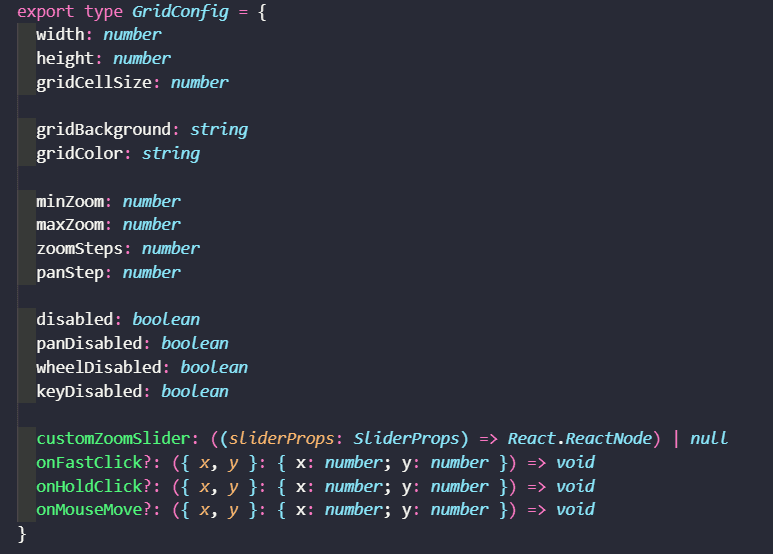
My original implementation was full of hard-coded values that worked for my specific use case (IdeaWall) but wouldn't serve a broader audience. I needed to make the package highly configurable without overwhelming users with options. So I designed a configuration interface with sensible defaults.
This required significant refactoring, but it transformed a project-specific solution into a flexible, reusable package.
The Results
One day after publishing, the package saw over 70 downloads on npm. While some of those downloads were likely from my own testing, seeing real adoption from other developers was both exciting and motivating.